> ## Documentation Index
> Fetch the complete documentation index at: https://help.snsboost-ai.com/llms.txt
> Use this file to discover all available pages before exploring further.
# SNSアカウントを連携する
## この機能でできること
Threads・X・Facebook・Instagram・LINE公式のアカウントをグループにつなぎます。つないだアカウントには、投稿の予約や分析をまとめて行えます。
## 使う前の準備
連携したいSNSアカウントに、ブラウザでログインしておいてください。
## 手順
### 1. グループ一覧で「アカウントを追加」を押す
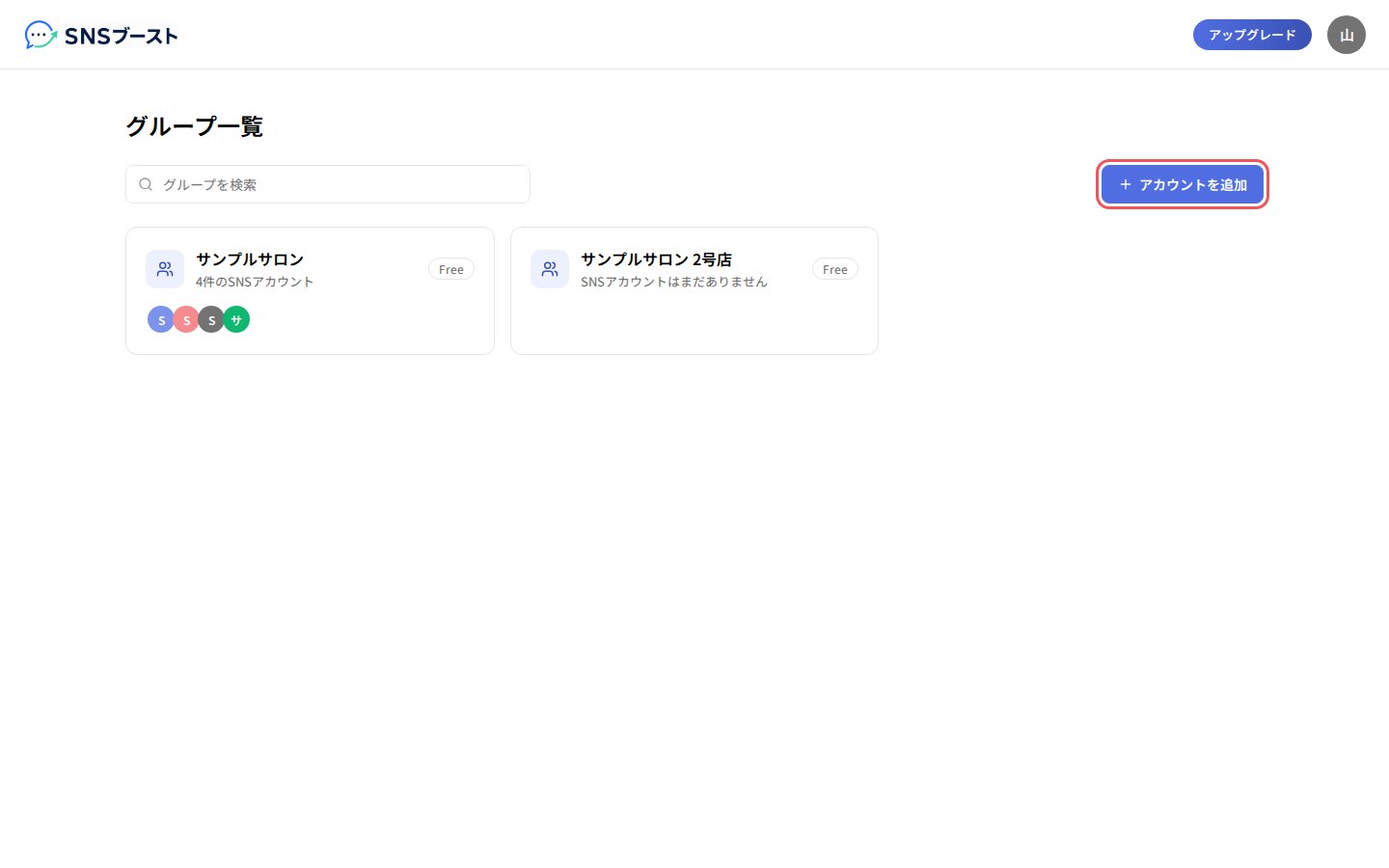 グループがまだ無いときは、「グループ作成」を押します。
### 2. 連携するSNSの「連携」ボタンを押す
グループがまだ無いときは、「グループ作成」を押します。
### 2. 連携するSNSの「連携」ボタンを押す
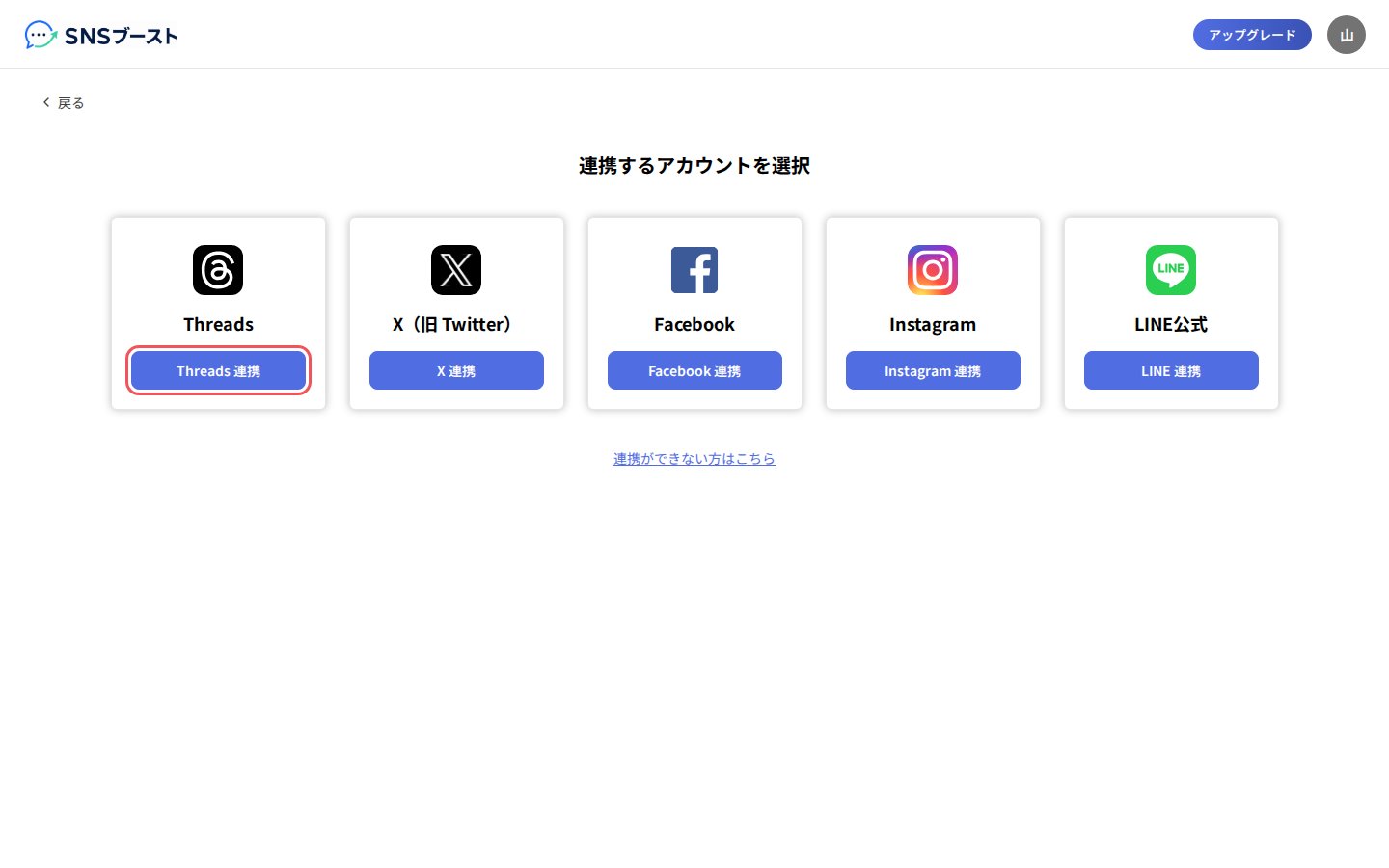 SNSの認証画面に移ります。そこで、連携を許可してください。
### 3. 「アカウントの連携が完了しました」を確かめる
SNSの認証画面に移ります。そこで、連携を許可してください。
### 3. 「アカウントの連携が完了しました」を確かめる
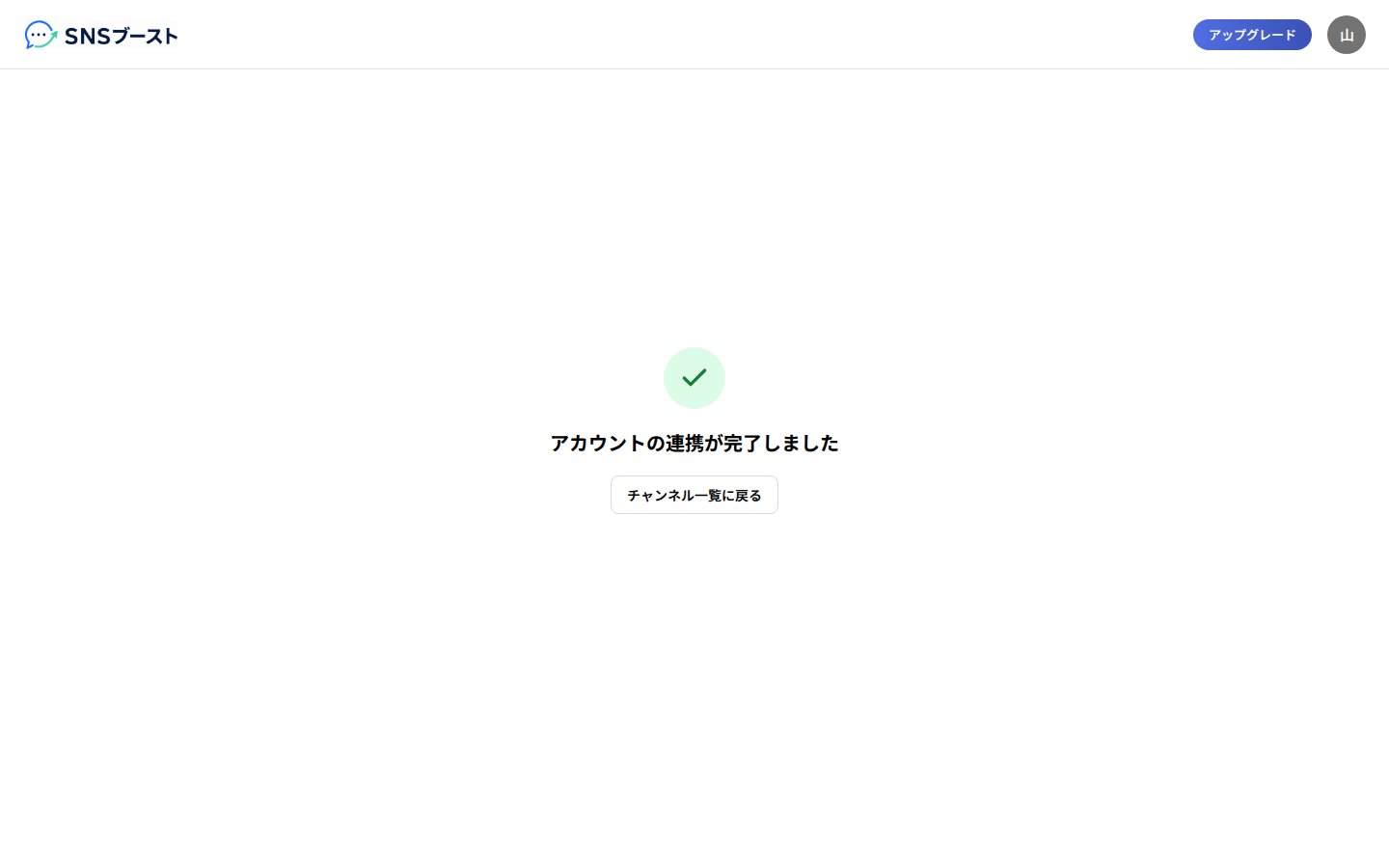 少し待つと、カレンダーの画面に自動で移ります。
### 4. 2つ目以降のアカウントは、左の列の「+」から追加する
少し待つと、カレンダーの画面に自動で移ります。
### 4. 2つ目以降のアカウントは、左の列の「+」から追加する
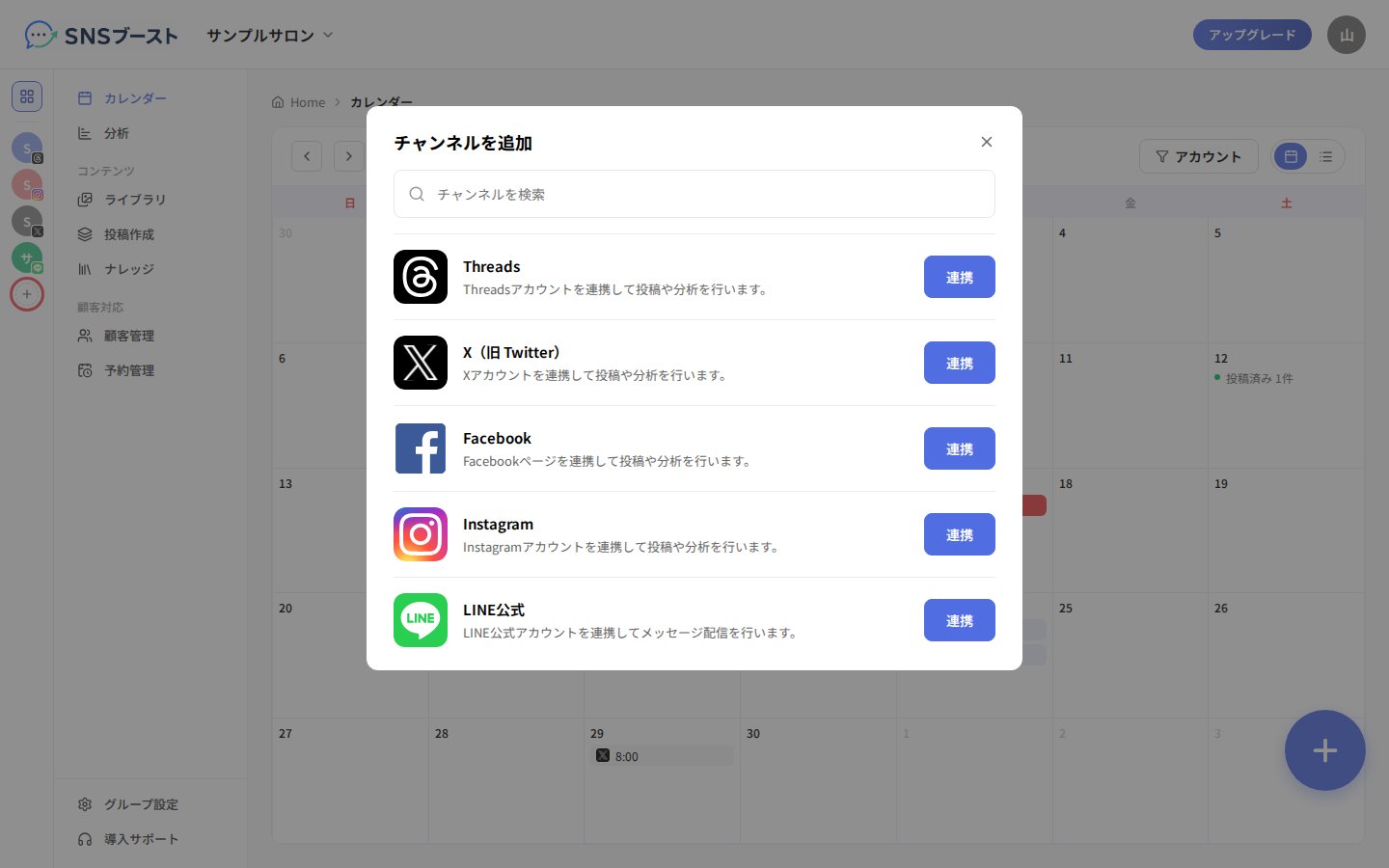 「チャンネルを追加」で、追加したいSNSの行にある「連携」を押します。
## つまずきやすい点
* うまく連携できないときは、「連携するアカウントを選択」の画面の下にある「連携ができない方はこちら」を開いてください。
* LINE公式は、ほかのSNSと手順が違います。「連携」を押すと「LINE公式アカウントを連携」の画面に移るので、そこで「連携情報を入力する」から4つの項目を入力します。
## Related topics
- [ガイドの見かた](/index.md)
- [LINE公式アカウントを連携する](/line-connection/guide.md)
- [ライブラリで投稿のネタを集める](/library/guide.md)
- [LINEの自動返信を設定する](/chatbots/guide.md)
- [顧客管理でLINEの問い合わせに対応する](/crm/guide.md)
This documentation is built and hosted on [Mintlify](https://mintlify.com), a developer documentation platform.
「チャンネルを追加」で、追加したいSNSの行にある「連携」を押します。
## つまずきやすい点
* うまく連携できないときは、「連携するアカウントを選択」の画面の下にある「連携ができない方はこちら」を開いてください。
* LINE公式は、ほかのSNSと手順が違います。「連携」を押すと「LINE公式アカウントを連携」の画面に移るので、そこで「連携情報を入力する」から4つの項目を入力します。
## Related topics
- [ガイドの見かた](/index.md)
- [LINE公式アカウントを連携する](/line-connection/guide.md)
- [ライブラリで投稿のネタを集める](/library/guide.md)
- [LINEの自動返信を設定する](/chatbots/guide.md)
- [顧客管理でLINEの問い合わせに対応する](/crm/guide.md)
This documentation is built and hosted on [Mintlify](https://mintlify.com), a developer documentation platform.